Glow and shader filters
A halo of any size around text, icons or panels, a drop shadow, and your own GPU pass run over an element or over what is behind it.
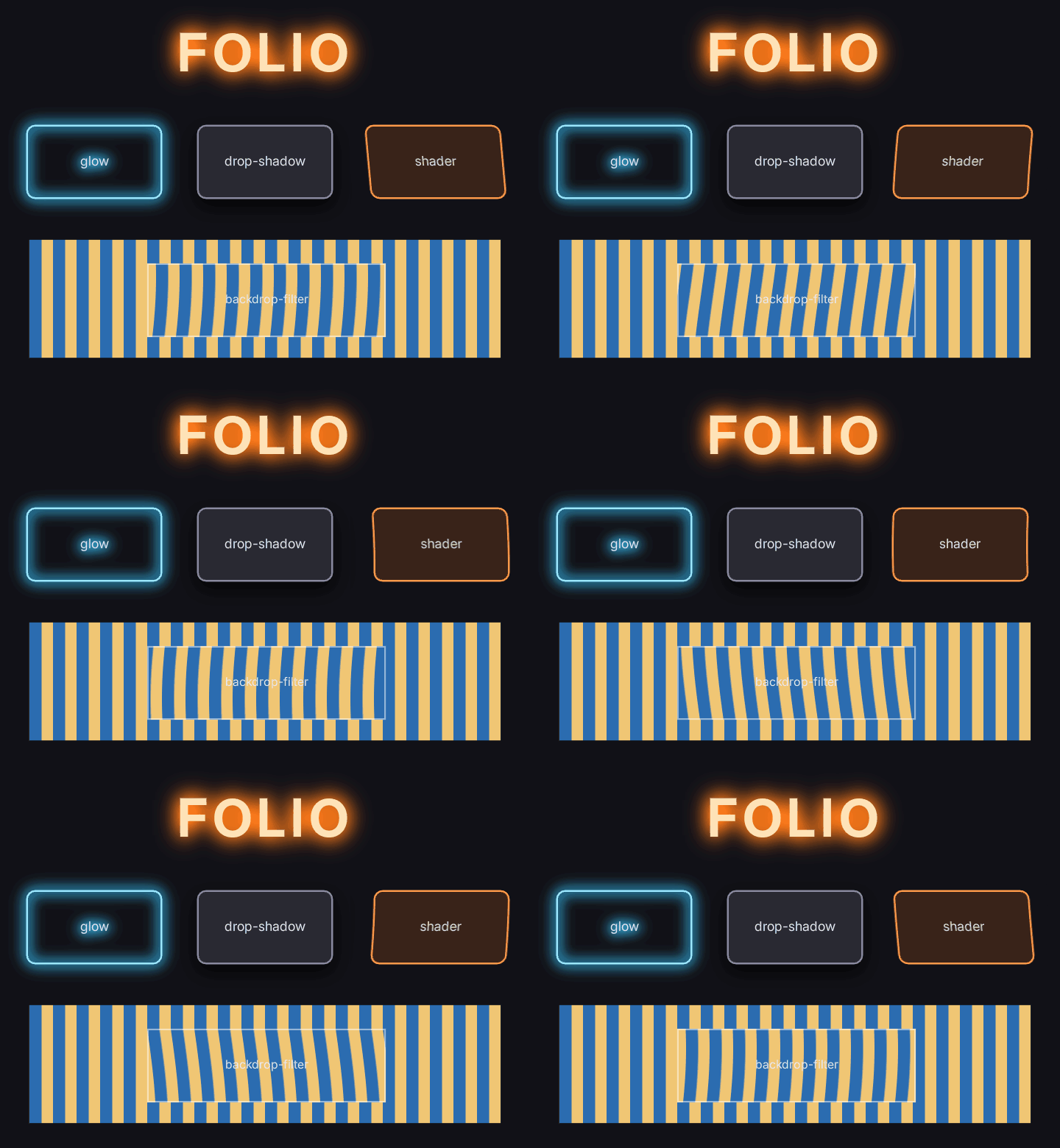
examples/shader_filters.rml is this screen.
On a document in the world, these need the Surface draw mode; After Tonemap and In Scene draw the element unfiltered.
Glow and drop shadow
.title { filter: glow(#ff7a1a 28dp 2.5); }
.ring  { filter: glow(#38c8ff 18dp 4); }
.card  { filter: drop-shadow(#000000c0 0 10dp 12dp); }
glow(<colour> <radius> <strength>) blurs the element's own pixels, so it reaches as far as the radius says. A font effect glow stops at about 0.1em. Strength multiplies the halo's coverage: raise it to make a thin outline glow as brightly as a solid shape.
A shader filter of your own
Write the pass. It is an
IFolioShaderFilterfromFolioShaderFilters.h: Folio hands it the element's layer asInputs.Inputand an output of the same size, inside its own render graph.C++ #include "FolioShaderFilters.h" class FHeatFilter final : public IFolioShaderFilter { public: virtual void AddPasses(FRDGBuilder& GraphBuilder, const FFolioShaderFilterInputs& Inputs) const override { // Read Inputs.Input, write every texel of Inputs.Output. Inputs.Args are the stylesheet's arguments. } };Register it before the document loads, for example in your module's
StartupModule:C++ Folio::RegisterShaderFilter(TEXT("heat"), MakeShared<FHeatFilter, ESPMode::ThreadSafe>());Use it:
RCSS .panel { filter: shader("heat 4dp 3 1.5"); } .lens { backdrop-filter: shader("heat 8dp 2 0.5"); }filterruns the pass over the element;backdrop-filterruns it over what is on screen behind the element.
The complete reference is Source/Folio/Private/FolioExampleFilters.cpp with Shaders/Private/FolioHeat.usf. folio.Filters.RegisterExamples registers it, and examples/shader_filters.rml then draws in the engine as above.
See it in the preview and Studio
The pass is engine code, so uipreview and Folio Studio run a GLSL stand-in: UI/filters/<name>.frag in your project.
// UI/filters/heat.frag
void main()
{
	float amplitude = folio_args[0].x * folio_pixel_scale / folio_size.x;
	vec2 uv = folio_uv();
	uv.x += amplitude * sin((uv.y * folio_args[1].x + folio_time * folio_args[2].x) * 6.2831853);
	folio_colour = folio_source(uv);
}| Name | What it is |
|---|---|
folio_uv() | This pixel, origin top left like the engine |
folio_source(uv) | The layer, premultiplied |
folio_colour | Write the premultiplied result here |
folio_args[16] | The arguments in order: .x for a number or length, .rgba for a colour |
folio_arg_count | How many arguments there are |
folio_size | The layer in pixels |
folio_pixel_scale | Pixels per document pixel |
folio_time | Seconds. A program that reads it keeps the preview drawing |
Troubleshooting
The element draws unfiltered in the engine, and the log says shader filter 'heat' is not registered. The document compiled the filter before RegisterShaderFilter ran. Register in StartupModule, or reload the document after registering.
The preview draws it unfiltered and logs has no preview program. Add UI/filters/<name>.frag.
A world document draws the element unfiltered, and the log says it used a layer effect. After Tonemap and In Scene have no offscreen target to filter in. Set the document's Draw Mode to Surface, or move the element to a document drawn to the screen.
The effect is cut off in a straight line. The layer is grown by the pass's reach, which is three times its largest length argument. Override GetReach to return how far, in document pixels, the pass draws past the element.
An animated pass only moves when something else changes. Override IsAnimated to return true. Its layer is then redrawn every frame instead of reused from the cache.
A dark, soft glow shows steps. Layers carrying a glow, drop shadow or shader filter are 16-bit float unless folio.Layers.HalfFloat has been set to 0.
A colour argument looks lighter or darker than written. In the engine a pass receives colours in linear light, as the layer's pixels are. The preview passes them as written.
Options
| Argument or setting | Default | What it does |
|---|---|---|
glow colour | #ffffff | The halo's colour |
glow radius | 8dp | Where the halo has faded |
glow strength | 1 | Multiplies the halo's coverage before it is clamped |
shader("<name> <args>") | Arguments are numbers, lengths, colours or words, space separated | |
IFolioShaderFilter::GetReach | 3 x largest length | Pixels the pass draws past the element |
IFolioShaderFilter::IsAnimated | false | Redraws the layer every frame |
folio.Layers.HalfFloat | 2 | 0 8-bit layers, 1 every layer float, 2 float for layers with a glow, drop shadow or shader filter |
A backdrop-filter: shader(...) region is the element's rectangle: border-radius does not round it. It runs only for documents drawn to the screen, not into a render-target surface.