Components, themes and recipes
One linked file gives a document a navigable component library and a default theme, and the recipes are complete screens to copy.
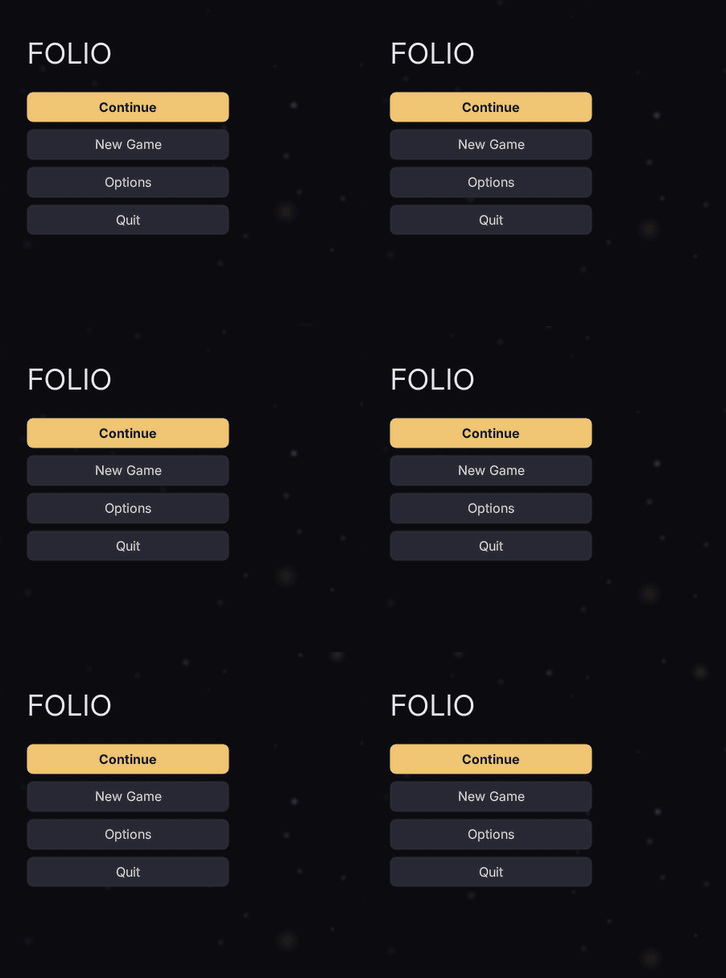
They live in three places:
/folio/lib/*.rcss | Structure. Sizes, spacing, flex bases, scrollbar geometry, tab-index and nav. No colour, anywhere. |
/folio/themes/default.rcss | The tokens, and a skin for every library class. Every colour lives here. |
| your game's stylesheet | Anything it disagrees with, and anything naming the game. |
Load them in that order. A game's rules land last and win by being later, which is how the shipped theme is overridden: a colour inside a component rule could only be overridden by restating the rule in full.
Getting the library
A template's head is merged into any document that links it, and the library is a template:
<link type="text/template" href="/folio/lib/lib.rml"/>One line, the whole library. The document does not need to use the template; linking it merges the head.
Order: template heads merge first, then the document's own head, so a document's <style> block always wins over the library. Within the library, later <link>s win at equal specificity.
Components
Ten components on a shared base, each structure-only:
panel · button · menu · list · slider · prompt · toggle (checkbox, radio, segmented) · tabbar · modal · motes
motes is a drifting particle field for a menu background, with no interaction. See drifting motes.
Compose these rather than starting from a bare div. They get the box-sizing, the flex bases and the scrollbar geometry right (each a documented trap in layout), and carry their own tab-index: auto and nav.
The recipes are written in the token classes from themes/default.rcss (.focusable is in lib/base.rcss):
.t-title .t-caption .t-numeric | type scale |
.c-text .c-muted .c-dim .c-accent .c-danger | colour |
.s-pad-* .s-gap-* .s-mb-* | spacing |
.x-row .x-col .x-fill | layout shorthands |
.focusable | the focus ring, and the tab-index that makes it real |
Recipes
/folio/rcss/recipes/ holds complete, working screens: a main menu, a pause menu, a confirmation dialog, a controls screen, dialogue, input prompts, a nameplate, a stamina wheel, subtitles, and round shapes (circle.rml). Copy them into your own UI/; don't link them. A linked recipe is a dependency you cannot change. Nothing in a recipe names Folio's directory except the library link.
A recipe that binds a model needs a mock beside it. nameplate.rml reads Name and Health, and previews against UI/mock/nameplate.json in the plugin. Copy it into your own UI/mock/ along with the document, or the preview reports the binding as a missing variable.
Every recipe passes --strict and --a11y with no findings, and ./scripts/check_recipes.sh keeps it that way.
Themes
A theme is @media (theme: name) in a stylesheet:
@media (theme: high-contrast)
{
	.focusable:focus-visible { border-width: 3dp; border-color: #ffffff; }
	.is-disabled             { color: #9a9aa8; opacity: 1; }
}
Turn it on with folio.Theme <name>, Set Theme from Blueprint, or uipreview --theme <name>.
Several themes can be on at once. They are independent switches, so colour-blind and large-text compose without either knowing about the other.
A theme is global, not per document. RmlUi tracks it per context, so Folio walks every context when one changes and remembers it for contexts created later.
high-contrast ships in the default theme. It widens the focus ring as well as brightening it, and stops disabled controls relying on opacity alone.
Overriding the shipped look
Your stylesheet loads last, so a plain restatement wins:
/* UI/theme.rcss - loaded after the plugin's default */
.btn         { background-color: #2a1f14; border-color: #6b4a25; }
.btn:hover   { background-color: #3a2a1c; }
.c-accent    { color: #d9a441; }
Keep the token classes and retune them rather than inventing your own. Every component and recipe is written against .c-accent and .s-pad-m, so retuning those recolours the whole library.
Custom properties in your own stylesheets
--name: value and var(--name, fallback) work as in CSS: declared on any rule, inherited by everything inside, and resolved per element, so a class on a container retints all of it.
body           { --accent: #4fa3ff; --gap: 8dp; }
.faction-red   { --accent: #ff5a4a; }
.title         { color: var(--accent); }
.row           { margin-bottom: var(--gap); width: calc(100% - 2 * var(--gap)); }
.badge         { border: 2dp var(--edge, #ffffff40); }
The shipped library and theme do not use them: retune the token classes. A var() with no value and no fallback leaves the property at its inherited or initial value. Transitions do not animate a value that comes from var().
Re-run --a11y after retuning colours. The shipped theme passes contrast on every surface it puts text on; your palette has not been checked. ./scripts/check_a11y.sh UI/ does the sweep.
Templates for markup
Templates also carry markup, so a shared chrome (a screen frame, a header bar) is written once:
<template name="screen" content="content">
<head>
	<link type="text/rcss" href="/UI/theme.rcss"/>
</head>
<body class="screen">
	<div class="topbar">…</div>
	<div id="content"/>
</body>
</template>
A document naming that template has its own body substituted into content.
Fragments in their own files
A panel that belongs to one thing in the game (a held weapon, a possessed vehicle) can live in its own file and be placed into the HUD where it goes. Write it as a template, styles and all:
<!-- UI/held/rifle.rml -->
<template name="rifle">
<head>
	<link type="text/rcss" href="rifle.rcss"/>
</head>
<body>
	<div class="ammo">{{ rifle.ammo }}</div>
</body>
</template>
Link it in the HUD's head, then put <template src> where its markup goes. Wrap it in a data-if so it shows only while it applies:
<head>
	<link type="text/template" href="held/rifle.rml"/>
</head>
<body data-model="hud">
	<div class="held" data-if="held == 'rifle'"><template src="rifle"/></div>
</body>
The fragment's body is parsed in place: it reads the HUD's data model, and data-for and data-if work inside it. Its head merges into the HUD's, so its stylesheet applies to the whole document.
In the game, the object sets held on the HUD's view model when it is picked up or possessed, and clears it when released. Don't bind a model per object from the object: BindViewModel on a document that is already up rebuilds it.
If the fragment does not appear:
Failed to find template 'rifle'in the log: the head has no<link type="text/template">for it, or thenamein the fragment differs from thesrc.- The wrong fragment appears: two templates share a name. Names are global across every document, and the last one loaded wins without a warning. Name each after its file.
Never write an angle-bracketed head, body or template tag inside a comment in a template file. The loader finds those three by raw text search before XML parsing, so a mention inside a comment truncates the file at the wrong place.
Where to go next
- Layout and panels: what the components are solving for you.
- Accessibility: the guarantee the default theme gives, and how to keep it.
- Localisation:
data-locon everything the player reads. - UI_CONVENTIONS.md §10 and §13: composition and themes in full.